
As an Amazon Associate, Ordinary Prepper earns from qualifying purchases. Prices last checked October 28, 2026.
Home Readiness — Guide
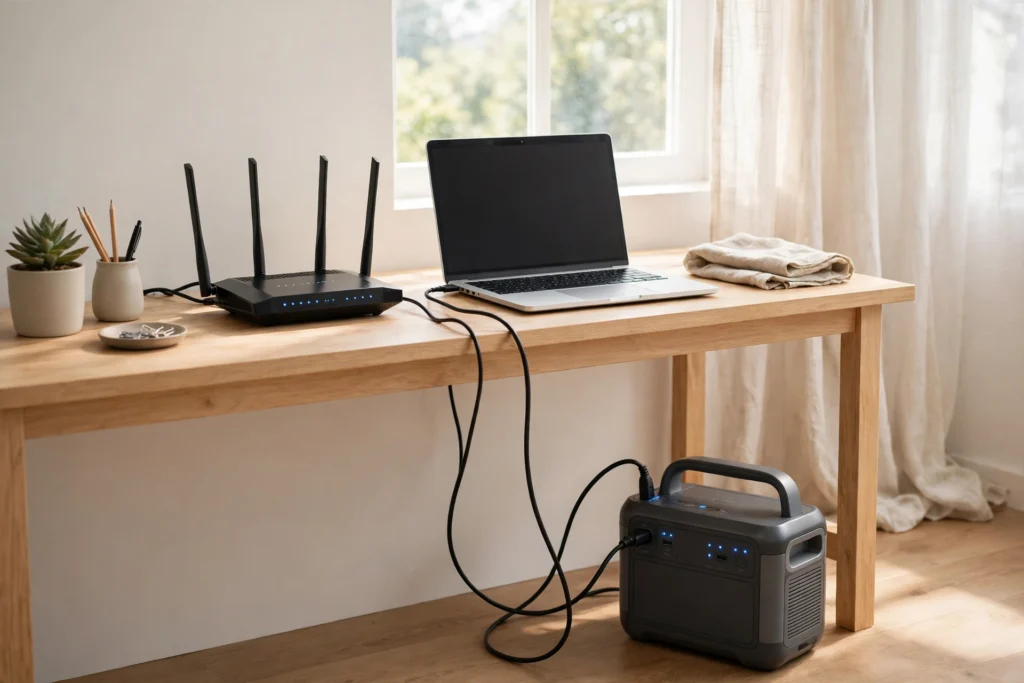
Backup Power for Working From Home: Laptop, Router, and a Full Workday
Short answer: A full workday at a desk is a small, well-behaved load: laptop 30–65 watts, router and modem 15–25 watts together, a monitor 25–40, a desk light a few — call it 100–150 watts all-in, or about 800–1,200 watt-hours for an eight-hour day. A 1,056Wh power station covers a workday almost exactly; a 2,048Wh station covers two, silently, from under the desk. A generator is the wrong tool for this job on its own — deafening overkill for 120 watts — but it is the right partner for a week-long outage: an hour of generator a day refills the station, and the desk never knows. The verdict is station first, and it is not close.
Anker SOLIX C1000
1,056Wh under the desk. What it runs: laptop, router, modem, and a monitor for about 7–9 hours — one full workday with the fridge nowhere near it, which is the point.
Bluetti Elite 200 V2
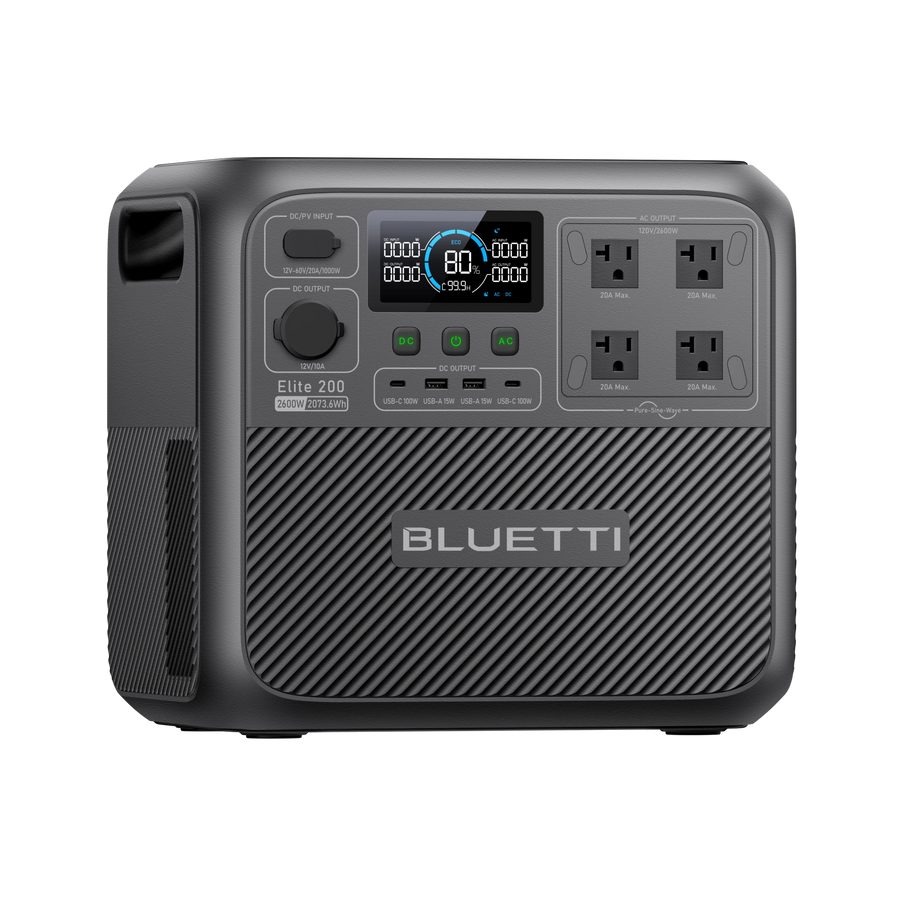
Photo: Bluetti
2,073.6Wh rated for 6,000+ cycles — a battery built to be cycled daily, which is what desk duty is. What it runs: the same desk for about two full days, or a desktop-PC desk (150–300W) for a day.
The workday budget, line by line
| Load | Typical draw | 8-hour cost | Notes |
|---|---|---|---|
| Router + modem/ONT | ~15–25W | ~160Wh | The non-negotiable load |
| Laptop (working) | ~30–65W | ~350Wh | Its own battery is a free buffer |
| External monitor | ~25–40W | ~260Wh | Drop it to stretch the day |
| Desktop PC + monitor | ~150–300W | ~1,600Wh | The desk that changes the math |
| Phone, light, extras | ~10W | ~80Wh | Rounding error |
Total for the standard laptop desk: about 850 watt-hours a day — against roughly 900 usable watt-hours from a 1,056Wh station and 1,740 from a 2,048Wh one. Notice what is not in the table: the printer (use it in bursts, or not at all), the second monitor (a luxury with a watt-hour price), and the space heater under the desk in January, which at 1,500 watts costs more than the entire rest of the desk combined, every hour it runs.
The workday budget, in one line: The standard laptop desk — router, laptop, monitor and extras — totals about 850 watt-hours a day (the line-by-line figures are in the table on this page). The desktop row replaces the laptop and monitor, and changes the math.
Anker SOLIX C1000
Why this one: 1,056Wh under the desk: laptop, router, modem, and a monitor for about 7–9 hours — one full workday with the fridge nowhere near it, which is the point.
The internet half of the question
Power at your desk is only half of “can I work”: the other half is whether your provider’s network is alive. Cable and fibre networks carry their own battery backup at their nodes — typically hours, sometimes a day or more — so in most outages the internet dies locally (your router, unplugged) long before it dies upstream. Powering the router and modem from the station is therefore the whole trick for the common case. In the longer case, the fallbacks in order are: the phone as a hotspot (its battery budget belongs to the station too — a phone charge is about 15 watt-hours, trivial), a laptop with its own battery at a powered location for the critical meeting, and knowing your employer’s outage policy before the outage — most are more forgiving than employees fear, provided the message goes out before the battery does.
Generator or station, settled
For the desk alone, a generator loses on every axis that matters at 9 a.m. on a Tuesday: it is outside and loud during calls, it burns a gallon or more a day to deliver 120 watts, and its power must cross the house to reach the desk. The station wins on silence, placement, and cost per day. The generator’s role appears on day three: one run of an hour or two recharges the station (and catches up the fridge and every other battery in the house), then it goes quiet again. Week-long desk outage, solved for about a gallon a day — that pairing is the professional version of this page.
Relevant pickBluetti Elite 200 V2
The same desk for about two full days, or a desktop-PC desk (150–300W) for a day — rated for 6,000+ cycles, a battery built to be cycled daily, which is what desk duty is.
2,073.6 Wh · 6,000+ cycles
Stretching the day when you must
Dim the monitor or drop it and work on the laptop screen (saves a quarter of the budget). Charge the laptop to full whenever the generator or grid is on, then run it on its own battery in stretches — its battery is storage you already own. Move downloads, updates, and cloud syncs off the outage clock entirely. And put the router on the station from minute one: the five minutes of reboot-and-reconnect theatre in the middle of a call is the failure this page exists to prevent, and a station used as an informal UPS — desk plugged through it — removes it completely.
Follow-up questions
Do I need a real UPS as well?
For the switchover blink, mostly no: laptops have batteries, and routers reboot in a couple of minutes. If you run a desktop PC and cannot tolerate a blink mid-save, a small UPS in front of the station is cheap insurance — but most home workers find the station-as-UPS arrangement covers them.
How do I keep phones charged for a week?
Phones are nearly free: about 15 watt-hours per full charge, so a week of phone charging is a rounding error next to the router. The fuller version of that math is in our runtime pages — the phone is never the problem.
What if I take calls all day?
Calls change the social math, not the electrical: video adds a little laptop draw, but the real reason to keep the generator off during them is your voice on the recording. The station’s silence is a professional feature, full stop.
Frequently asked questions
Will a station’s fan noise show up on calls?
Under a desk at a 120-watt load, modern stations are at or near silent — their fans work during fast charging, not during a light discharge. Charge between meetings if you are particular.
Can the same station run the desk and the fridge?
Together they total about 2,000 watt-hours a day — a 2,048Wh station is at its limit, and the desk loses its dedicated guarantee. For outage weeks, that is the argument for the generator pairing or a second station, not for optimistic arithmetic.
What size solar panel keeps a desk alive indefinitely?
Roughly 400 watts of panel in average sun replaces a workday’s 850 watt-hours — the same panel class as our fridge-and-solar math — making the desk one of the few loads solar alone can genuinely carry day after day.
The bottom line
Budget 850 watt-hours, buy the station that covers it with margin, put the router on it before everything else, and let a generator visit for an hour a day if the outage outlasts the weekend. The desk is the easiest critical load in the house to protect — it only asks to be planned, not powered heroically.
The full set hangs off What People Are Asking When the Power Goes Out, and the station method is in our Power hub.
Talk it over with other homeowners
The Ordinary Prepper Community on Facebook is where readers compare outage plans, show their setups, and help decide what we test next.